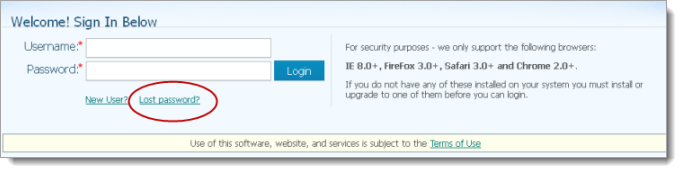
If you forget your password, complete these steps:
Click the Lost password? link on the Welcome page:
The Reset Password form is displayed:
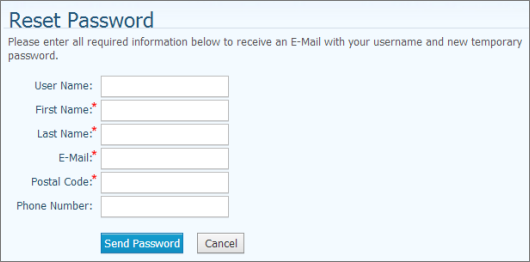
Complete the fields in the form.
 Required fields are marked with a red asterisk: *.
Click  .
.
After the system validates your request, you will receive an e-mail containing your username and a temporary password. The e-mail is sent to the e-mail address that the system has on file for you.
Log in with your temporary password.
The system prompts you to change the temporary password after you log in.
How to Log in to My Own Church